
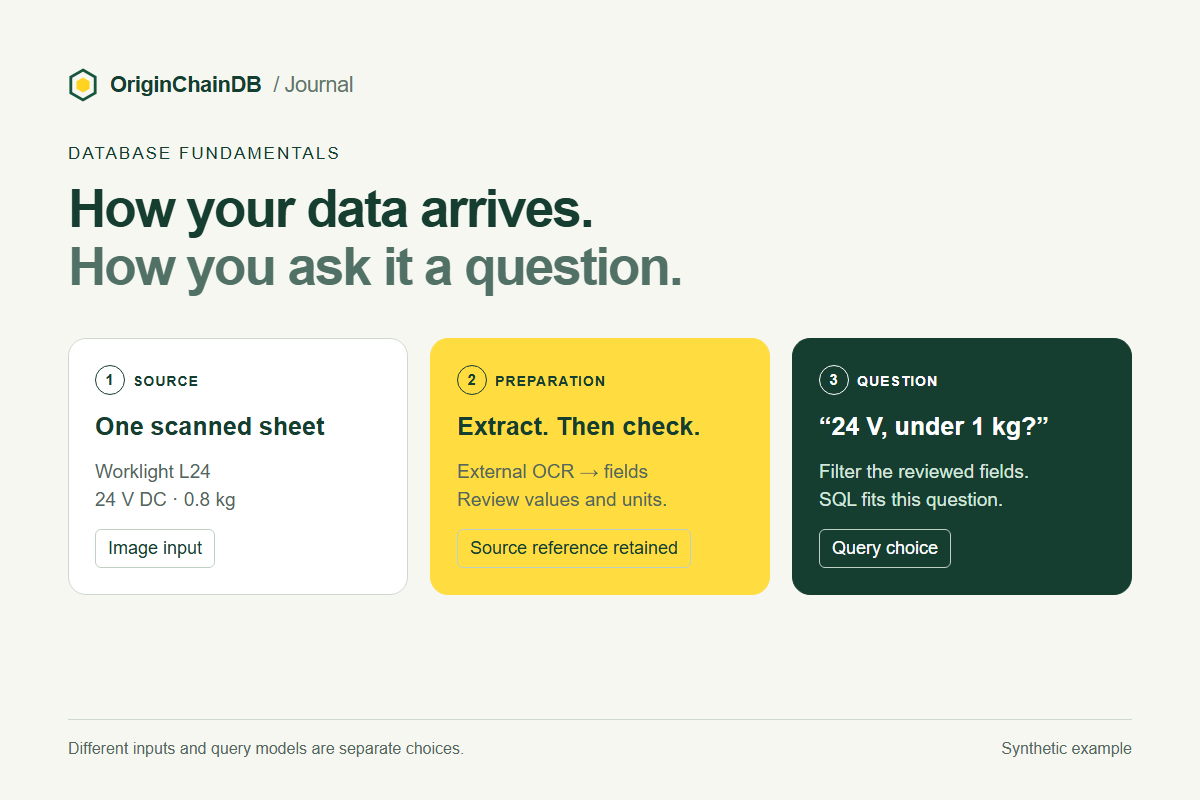
A supplier sends you a scanned product sheet. Your application needs to answer two questions: “Does this lamp run on 24 volts?” and “Would it help someone light an inspection bench?”
The first question needs a verified specification. The second may benefit from searching the product description. Both start with the same image, but they need different evidence. Choosing how to read that image and choosing how to query its contents are separate design decisions.
Separate the source from the query
In AI, a modality is a form of information, such as language, images or sound. Multimodal machine learning works with information from several such forms. The research survey by Baltrušaitis, Ahuja and Morency describes this in terms of processing and relating different modalities.
A data model describes how information is organized. The term multi-model database refers to managing several data models in one database platform, as described in Lu and Holubová’s survey. A query model concerns how the application asks for information.
OriginChainDB uses multimodal for its SQL, vector, graph and full-text query capabilities. Our database introduction explains those capabilities. Here, the useful distinction is between the information arriving from a source and the records your application will search.
Follow one product sheet into the database
Consider this synthetic product sheet, invented to illustrate the design:
Worklight L24
Input: 24 V DC
Mass: 0.8 kg
Mounting bracket: BR-7
Description: A compact lamp for inspection benches.
Imagine those words printed beside a product photograph, then scanned into an image. The application first needs readable information from the scan. An external optical character recognition service can extract the printed text. For example, Google Cloud Vision’s OCR documentation describes text extraction with word locations. That processing happens before the database queries discussed here.
Next, the application turns the extracted text into useful records. It can retain the description as text and prepare fields such as product_id = L24, input_voltage_v = 24 and mass_kg = 0.8. The units belong in this conversion: storing “0.8 kg” as an unexamined string makes numeric comparisons harder.
Before treating those fields as catalog facts, check the extracted values against the sheet. If OCR reads “24” as “240,” a perfectly executed query can still return the wrong specification. That failure needs a correction to the extracted record.
Keep the original file reference, its version and the page location alongside the records. Then an answer about voltage can lead the reader back to the specification that supports it.
- SourceScanned L24 sheet
24 V DC · 0.8 kg · bracket BR-7
- Outside the databaseExtract and review
Read the text, check units and keep its page reference.
- Prepared recordsFields and description
Voltage, mass and text stay connected to the source.
- One questionFilter with SQL
Find 24 V lamps weighing less than 1 kg.
Let the question choose the retrieval method
“Which lamps use 24 V DC and weigh less than 1 kg?” This needs conditions on reviewed fields. SQL is a reasonable starting point. The scan has become structured data for this question; the query does not need to interpret pixels.
“Find a small light for a checking station.” This wording differs from “compact lamp for inspection benches.” An embedding model could represent the description for vector retrieval. Whether L24 becomes a useful match depends on the model and the other catalog entries; this example does not claim a tested search result. Full-text search is another option when users search for words that appear in the descriptions.
“Which bracket is listed for L24?” A direct lookup of the stored bracket field may be enough. If the application later needs to follow a network of products, brackets and replacement parts, explicitly stored graph relationships may help. The relationship should come from a stated specification, rather than a guess based on how two items look.
Different inputs can lead to the same query
Suppose the only requirement is finding lamps below a weight limit. The input could arrive in several forms while the final database query stays the same.
| Source | Preparation outside the query | Record to query |
|---|---|---|
| Scanned product sheet | Extract text and check the value and unit. | Product ID and mass in kilograms. |
| Supplier spreadsheet | Read the columns and validate the unit. | Product ID and mass in kilograms. |
| Spoken specification | Transcribe externally and confirm the product, value and unit. | Product ID and mass in kilograms. |
The reverse is also possible: one text-only catalog may support numeric filters, phrase search and relationship queries. The number of input modalities does not determine the number of query models.
Where OriginChainDB fits
OriginChainDB provides SQL, vector, graph and full-text queries over the records and indexes you prepare. For the scanned-sheet example, OCR and field extraction are separate processing steps. If several queries are useful, your application connects their returned records and assembles the answer.
For text embeddings, the saved-embedder workflow sends selected table text to a configured model endpoint and stores the returned vectors. It requires a dedicated configuration and a tested saved embedder. That workflow gives prepared text a searchable representation; it does not turn an arbitrary scan into reviewed product specifications.
Start with one source and one useful question. Decide what information must be extracted, what must be checked and which query can answer it. Then use the query-model guide to try that path. Add another representation or query when a concrete question calls for it.